Credits Explained
Read more about how credits are spent in Ocean.
Updated November 24, 2026
There is only 1 type of credit to use across our platform (app.ocean.io), our APIs and our MCP server.
You can no longer buy credit packs or one-off top-ups. To get more credits, upgrade your subscription from your Billing page. If you’re unable to upgrade, contact us at [email protected] or book a call with our team directly from the platform. Any unused credits remain available until they expire or are used up.
Credit use on the platform, APIs or MCP:
- Load a new company/contact: 0.2 credits per company/contact.
- Exports on the app.ocean.io: Free, as long as the company/contact is loaded.
- Revealing verified emails: 1 credit per verified email or verified catch-all email.
- Revealing direct phone numbers: 10 credits per phone number found.
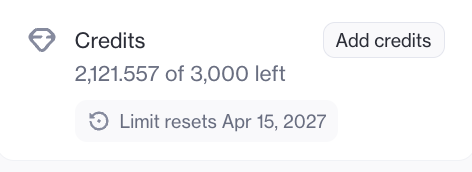
You can always view your current credits on the home page of the platform, or by using our “Get credits balance” API endpoint.
If you need more credits, a manager can upgrade the subscription in Settings → Billing, and the new credits are available right after the upgrade. If you’re unable to upgrade, or your plan was set up by your account manager, contact us at [email protected] or book a call with our team from the platform.
When are results free to load in the platform?
The rule of thumb is that all companies and contacts cost 0.2 credits to load on app.ocean.io. There are a few exceptions we implemented to protect our users where it doesn't make sense to spend credits:
1. The Leads page
Viewing and exporting items from your Leads page does not cost any credits. That's why we recommend adding items consistently as leads while you're searching, so you can always find them back for free on your Leads page.
Any loaded row in your search can be saved as a lead for free. If you select more rows than you have loaded when adding them to your leads, it will cost 0.2 credits per row.
Save rows as leads before you leave the search. Select the loaded rows and click Add lead. Saving loaded rows is free, and everything on your Leads page can be viewed and exported for free at any time.
2. Loading your enrichment results
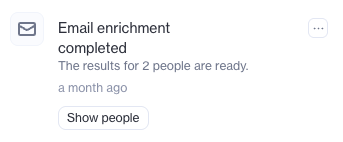
If you've selected a list of people to enrich with emails or phones, you receive a notification in your "Activities" section when it's finished. Clicking on the "Show people" button will bring you to a search where you can see the people you wanted to get enriched.
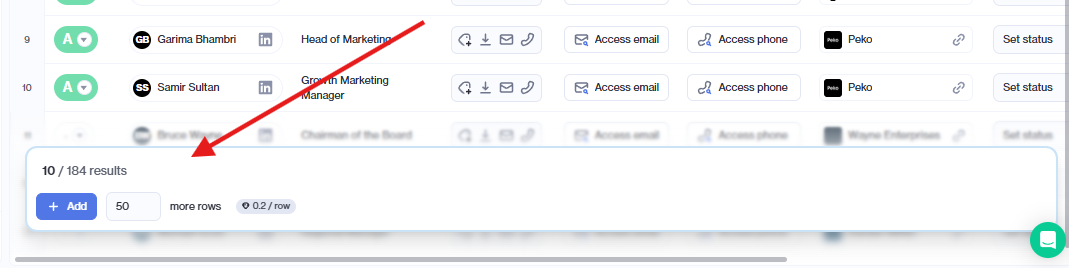
What does “loading” mean? Loading means adding rows to your search with the Add button at the bottom of the results. Loaded rows can be exported, enriched or saved as leads. Loading does not save rows to your Leads page automatically. To keep them permanently, select them and click Add lead.
3. Viewing items from your export history
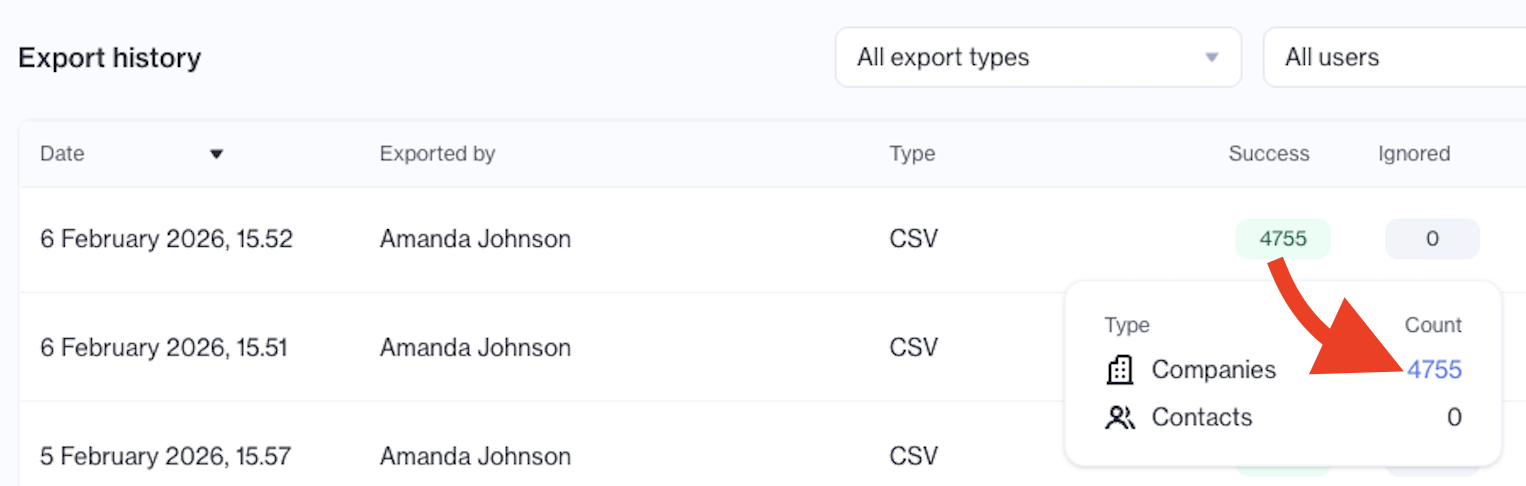
If you've previously exported companies or contacts, you can view them again for free by navigating to your export history page in settings and selecting the group of items you wish to see in a search.
4. The one-hour window
When you open a contact or company, it stays “unlocked” for 1 hour.
If you view it again within that hour, the timer resets—so you can keep accessing it across searches without using additional credits, as long as you revisit it within each 60-minute window.
5. Revisiting the same search
- Same search, same filters = free: Reloading a search with the exact same filters is free for the number of results you already loaded, no matter if it was yesterday, two days ago, or an hour ago.
- Extra results = cost credits: Only new results beyond what you’ve previously loaded will cost credits. For example, if you initially load 100 results and later load 150 results for the same saved search, only the additional 50 new results will consume credits. This ensures efficient credit usage and prevents duplicate charges for the same data.
How to get back results you already loaded:
- Open the original search with exactly the same filters.
- Scroll to the bottom and click Add to load the same number of rows.
- Select the rows and click Export. Previously loaded rows won’t use credits.
The one-hour window (different searches). When you load a company or contact, it stays free to view again for 60 minutes in any search, including searches with different filters. Each view resets the timer. After 60 minutes, it costs 0.2 credits again if it appears in a search with different filters. This window doesn’t affect same-filter reloads, which stay free (see above).
Example: You load 100 results. Within 60 minutes you run a new search with different filters, and 30 of the same companies show up. Those 30 are free; the rest cost 0.2 credits each.
Why does Ocean show a credit cost for rows I already loaded? The bottom bar and the export window always show 0.2 credits per row. This is an estimate: the system can’t tell in advance which rows are free. Credits are only deducted for rows not covered by the exceptions above. A cost on screen doesn’t mean you’ll be charged for those rows.
Recommendations to avoid spending too many credits
To work cost-efficiently in Ocean, we recommend that you make frequent use of the Leads page. Whatever you export from that particular page is free.
- Tip: Any contact that you've enriched with an email or phone in the past is automatically added to your leads page!
Whenever you saved or exported anything, you can hide them from your future search results by using the "Net new" filter in the left top. Use it to avoid spending credits again on results you might not be interested in anymore.
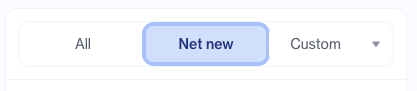
Carefully look at the 10 free preview companies or contacts to evaluate whether your filters are set correctly before proceeding to load more.
How much does it cost to enrich a contact?
It costs 1 credit to receive a verified email, and 10 credits to receive a direct phone number. In order to receive this information, you need to have the person loaded first, which would cost 0.2 credits per row. So if you're in a search and selected more people than you've loaded at that moment, you will pay 0.2 credits per contact additionally that you wish to enrich.
Are the 10 companies or contacts free in the preview?
The 10 companies and contacts in the preview whenever you change your filters are free to view, within the limits described below. The preview is shown to help you evaluate whether you have applied the right filters at that point. If you're satisfied with the preview, you can load more items for which you will be paying 0.2 credits per row.
If you wish to export or enrich a company or contact from the preview, it will however cost 0.2 credits additionally when you perform that action.
Limits on the free preview
- If your organization has no credits left, new searches do not show a free preview.
- There is a daily limit on how many different new searches get a free preview. The limit depends on how many credits your organization has used recently. If you go over it, the first results of any further new search cost 0.2 credits each, like any other load. Repeating a search you already ran the same day does not count again.
Why does it always show 0.2 credits per row in the bottom bar?
Our system doesn't technically know yet how many credits you're going to spend, until the items are loaded. For that reason, it always shows the general rule that it will cost 0.2 credits per newly loaded row. There are a few exceptions, which are outlined earlier in this article.
Why don't results remain free forever in the platform once loaded?
You might wonder why viewing and paying 0.2 credits for a company or contact one day, will not prevent you from spending the same amount of credits if they pop up in a different search later on. The reason is that Ocean has a dynamic database; our Lookalike search constantly improves and changes. The value is prominently present in the generation of new Lookalikes list, which is why exporting is nowadays free, and you pay for performing searches instead.
💡 Tip: Simply loading a row does not save it to your account. If you load a company or contact but don't save it as a lead or export it, it will not be excluded by the Net New filter in future searches, meaning you may spend credits on the same row again. To avoid this, always save items as leads after loading them, even if you're not ready to export them yet.
📅 Did your subscription start before February 2026 or do you have a custom plan? Then you might be on our legacy plan. See this support article for more details (only accessible for legacy customers).