Introduction To Our APIs
Updated November 24, 2026
Read the developers' documentation to get a full overview of the possibilities at https://docs.ocean.io/
What are APIs?
An application programming interface (API) is a software-to-software interface. They allow separate software systems to interact without user intervention. APIs automate tasks, so your business can save time and energy on work processes. They also allow you much more personalization than any native integration can offer. They require a developer to set up.
Every request you send is a "call". A call can be used to get data, edit data, or delete data. In the case of Ocean's APIs, it's only used to retrieve data from Ocean on companies or contacts. There are limits to the number of calls you can make, as outlined in your contract with Ocean.
What endpoints does Ocean.io offer?
Ocean's APIs allow you to easily search through company and contact data, allowing you to integrate the data into your CRM or any other system of choice.
A few example of the endpoints that are available:
-
- Get a restricted list of companies matching an input
Get Credit Balance API Endpoint
- See your credit balance
-
- Get all possible technologies, industries, and regions that are available in Ocean
-
- Find all information on a particular company
-
- Find all information on a particular person
Lookalike Companies Search API Endpoint
- Perform a Lookalike company search
-
- Search between all people in our APIs
-
- Reveal the email of a contact
-
- Prepare Ocean with a list of one or more domains to ensure they are crawled prior to your next call
Making your first Search call
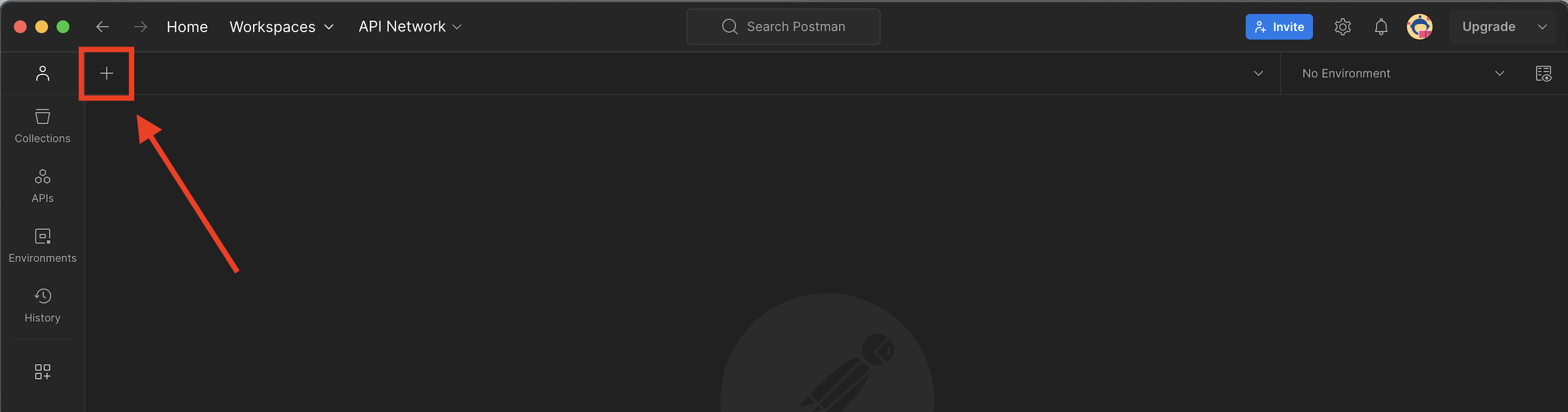
To use Ocean API via Postman, click on + in your workspace to add a new call.
Go to your Ocean API settings. If you don't have an API token yet, create one by clicking on New token*.* When you have created an API token, click on the Copy button to copy the API token to your clipboard.

Back in Postman, copy and paste the link below into the Enter URL or paste text field, where you replace XXX with the API token you just copied;
https://api.ocean.io/v3/search/companies?apiToken=XXX

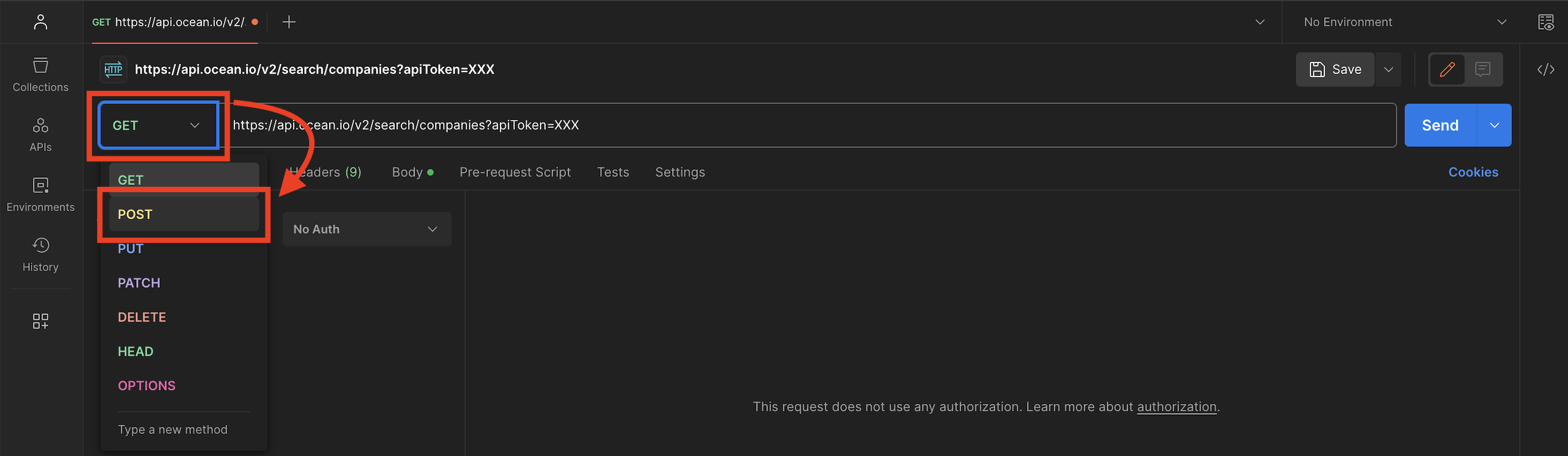
Now click on the GET request type drop-down and change the request type to POST.
Now you're ready to add the body to your call and tell the API what exactly you're looking for. Go to the Body tab, select raw and JSON, then paste your desired filters in the body. **
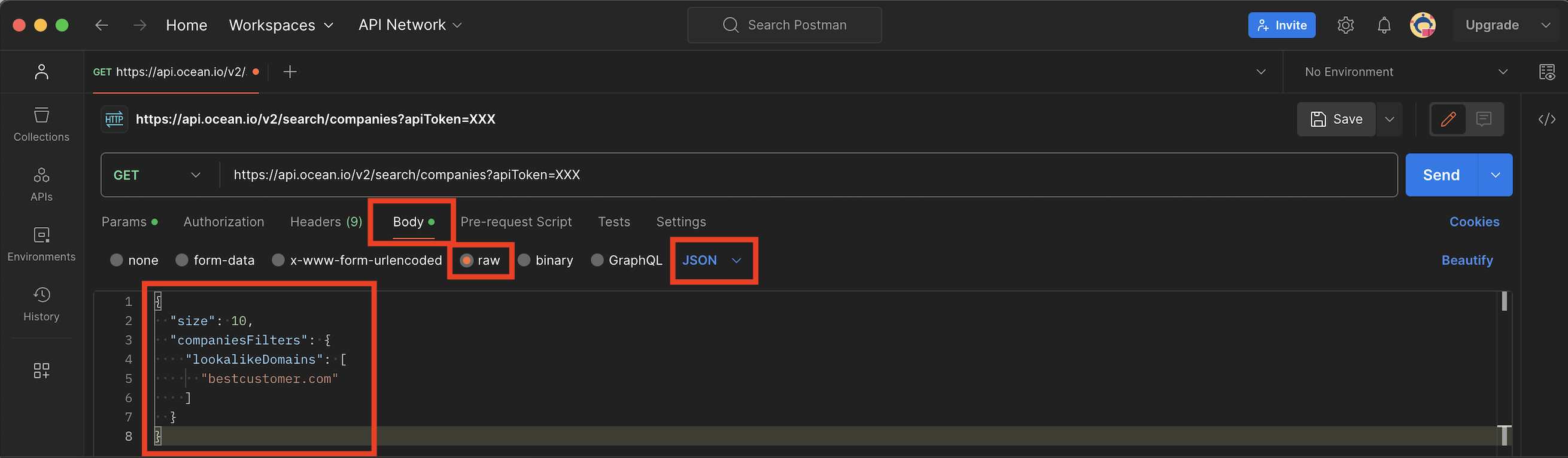
Hit Send and you made your first API call!
💡 Tip: We recommend applying at least one filter in either "companiesFilters" or "peopleFilters" to perform a search. The most frequently used filter is "lookalikeDomains".
Fetching the next page of results
Most likely, there are more results available than the number you specified to fetch initially. In that case, you can perform the exact same call, but append the value of the current page to indicate you wish to fetch the next x number of results.
Copy the value from the "searchAfter" as seen below:
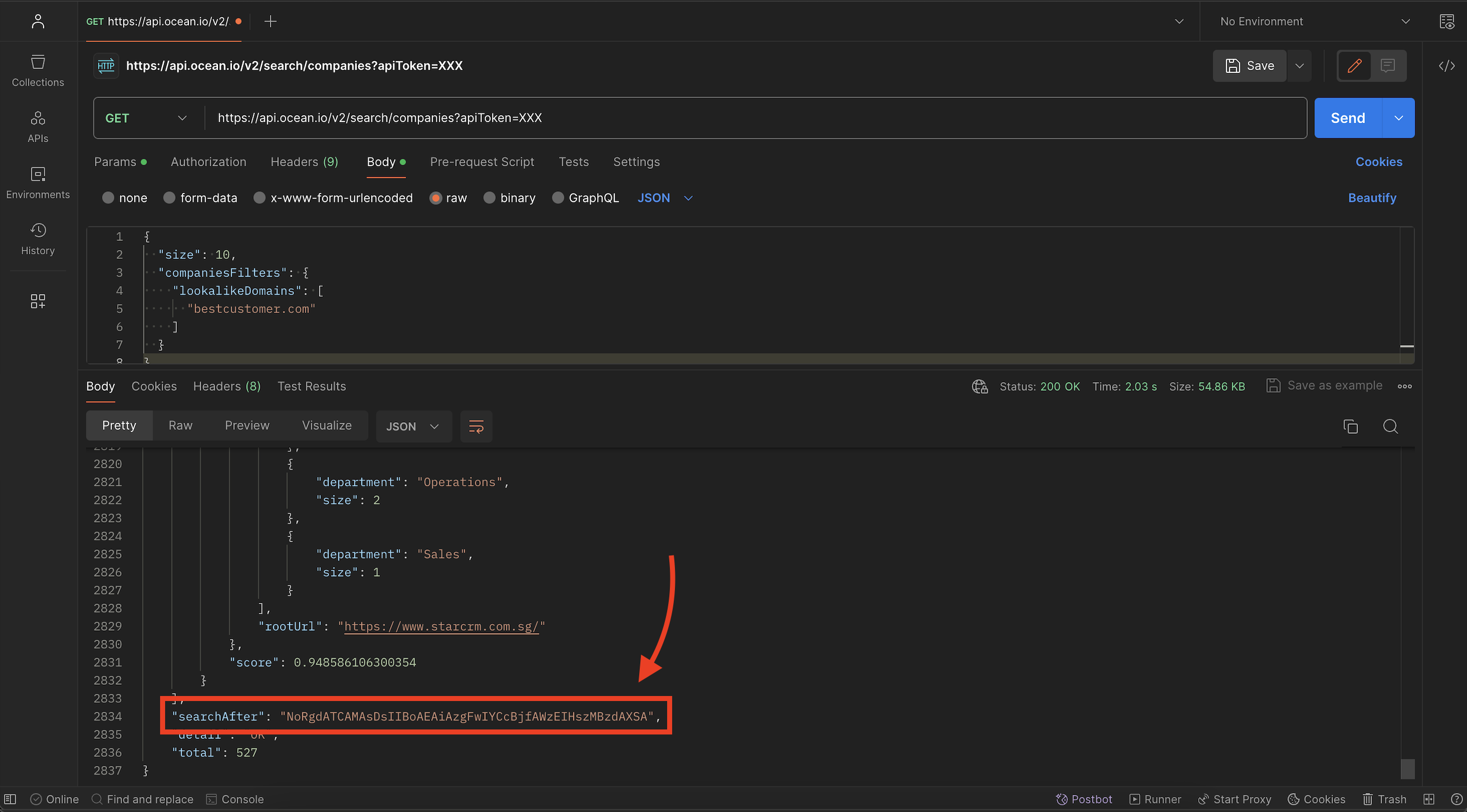
Now head back to your Body and append this exact number.
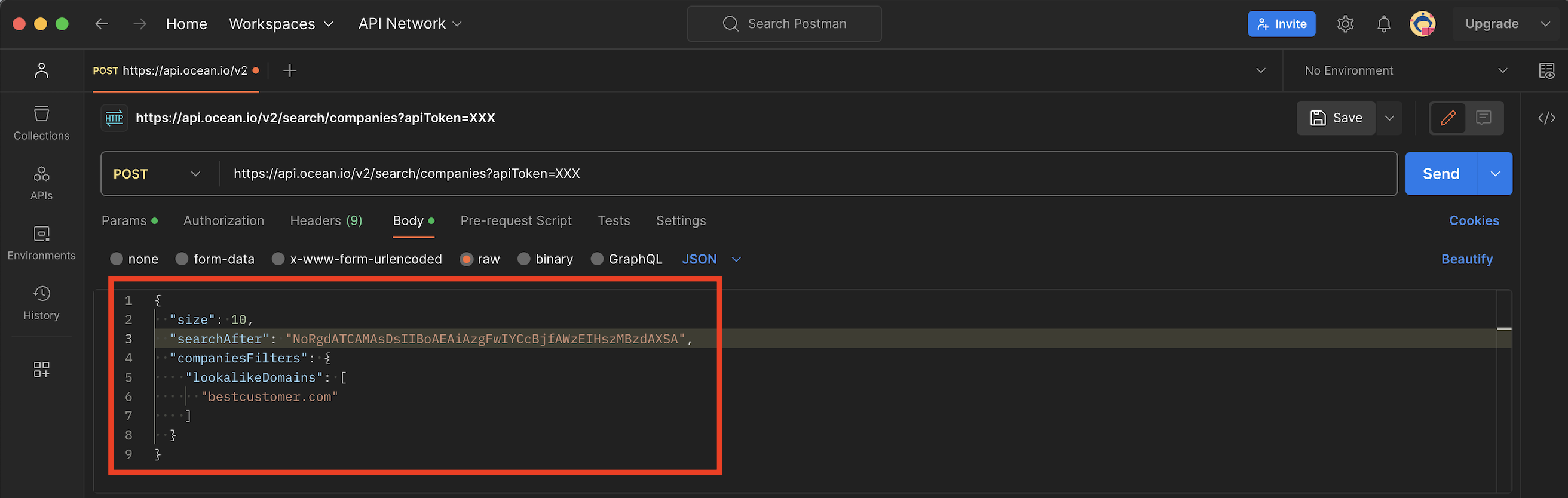
Click Send and receive the next X searches!