Persona Filter
Take a shortcut to accurate people results
Updated November 24, 2026
💾 How to Save and Manage Personas in Ocean.io
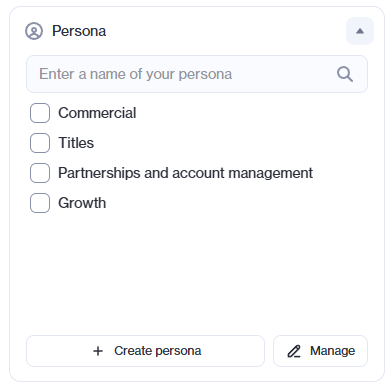
Once you’ve found the perfect combination of filters for the contacts you’re looking for, you can save them as a “Persona” in your account. This lets you quickly reload the same search setup in just one click, a real time-saver when targeting specific audiences.
Example use cases
- Procurement Managers in construction companies
- Marketing Directors in SaaS businesses
- IT Managers in manufacturing companies
- CFOs in logistics and transportation
- Founders at eCommerce brands
- HR leaders in enterprise organizations
Personas are especially useful for recurring prospecting workflows, outreach campaigns, and maintaining consistent targeting across your team.
🧭 Accessing or Creating a Persona
You can access your existing Personas or create a new one directly in your People tab.

To get started:
- Open the “Persona” filter in your filters.
- Click “Create persona” (or “Manage” to edit an existing one).
- Adjust your filters as needed, you’ll see a live count at the bottom showing how many contacts match your selected criteria.
- You can also switch between the Experience and Role tabs to include different types of filters (such as seniority, department, or title) and make your Persona more precise.
- Click “Continue”, give your Persona a name, and save it.
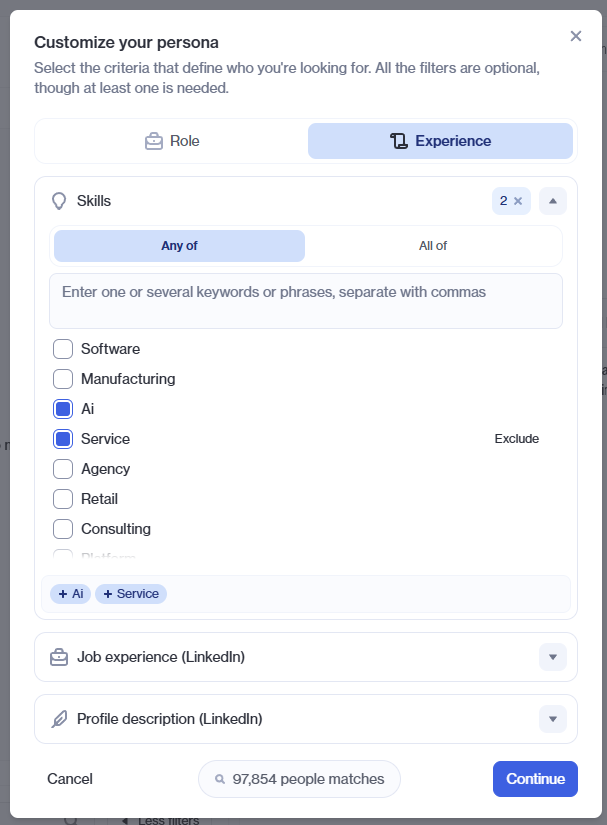
Your Persona will now be available to load anytime you need it.
⚙️ Managing Your Personas
To manage existing Personas, go to your Settings → Personas section.
From there, you can:
- Edit, delete, or rename Personas
- Activate or deactivate them
- Change their order for easier access
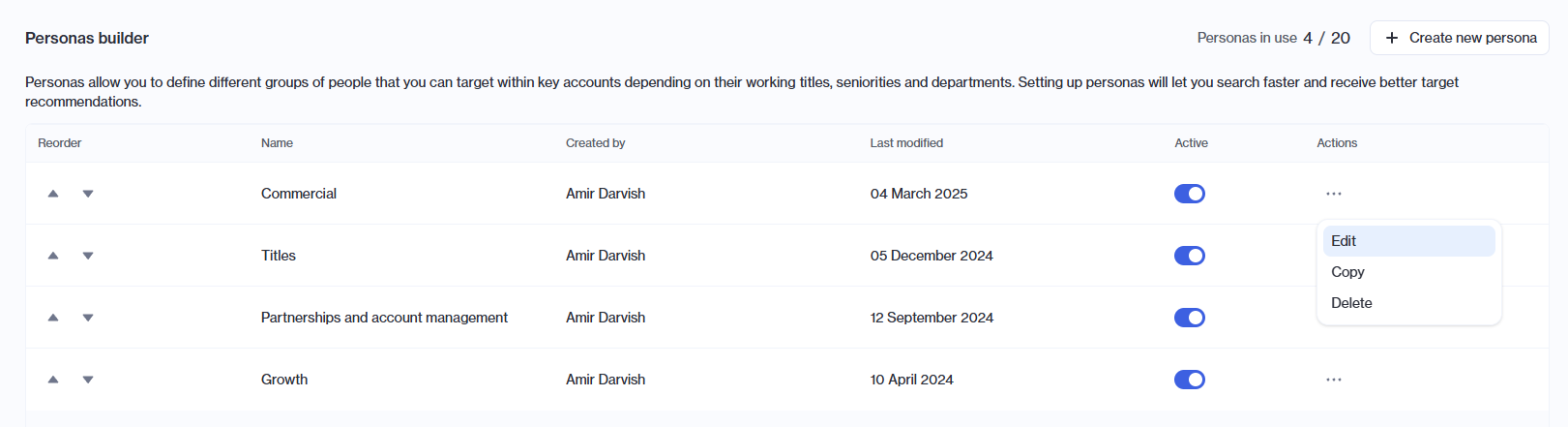
You can create up to 20 Personas per organization.
If you need to free up space, simply delete the ones you no longer use.