Keep in sync and export data refreshes
Keep fields in your CRM up to date after you export, and see each refresh in Settings.
Updated November 25, 2026
Keep in sync is a write rule for the fields Ocean.io sends to your CRM. When you pick it, Ocean.io keeps the value up to date on records it already exported. You do not need to export them again.
Ocean.io checks these fields on a schedule. It changes a value in your CRM only when Ocean.io's value is different. You can see the refreshes of data fields in Settings → Export data refreshes.
Who can use it
- Organizations with the Bi-directional CRM Integration. Without it, the Keep in sync option and the Export data refreshes page do not show.
- HubSpot, Salesforce, Pipedrive and Attio.
- Managers only. Other users can see the rule but cannot change it. They do not see the Export data refreshes page.
Turn it on for a field
Open Settings → Integrations, click Connected next to your CRM and choose Configure. Each mapped row has a rule in the Existing values column. Keep in sync is the first option in the list.
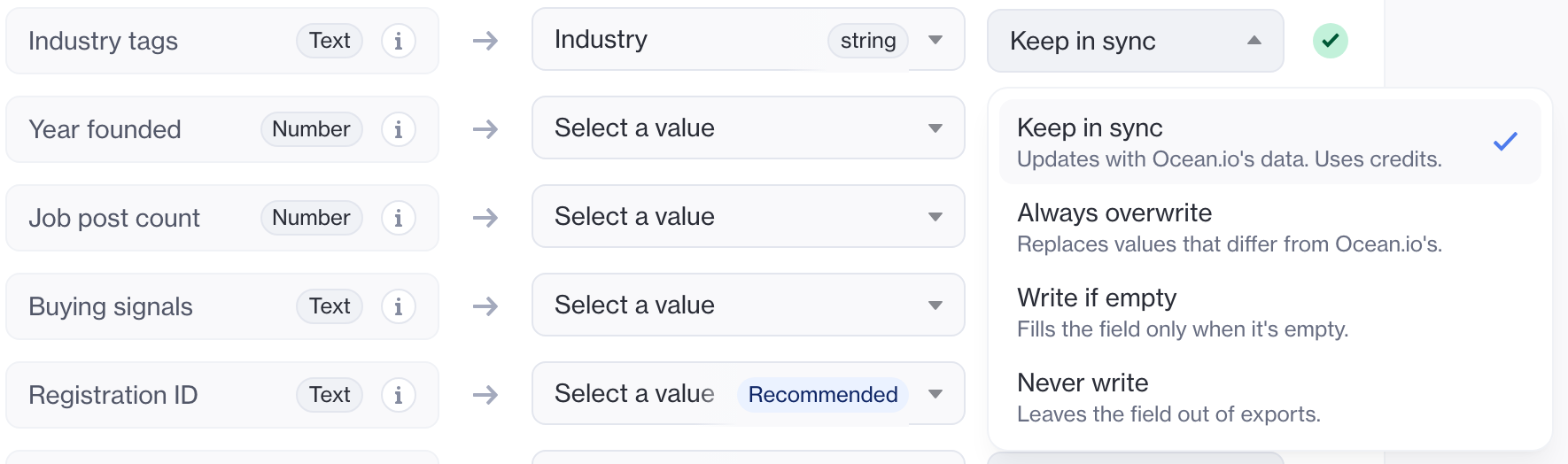
You can use it on two kinds of fields:
- Ocean columns: the five Context columns (Ocean score, Lead score, Segment score, Segment and Matched signals). You set them up in step 3, Map Ocean properties.
- Mapped data fields: the company and person fields you map in steps 1 and 2.
The fields that identify a record cannot use it. These are an account's name and website and a contact's name and email. They are always Write if empty.
How Ocean columns stay in sync
Ocean.io updates the Ocean columns on the companies it exported. The values come from your active segmentation. A refresh runs every day. It also runs when you change your active segmentation or put a column on Keep in sync. Ocean.io writes only the values that differ. This does not use credits.
How data fields stay in sync
When you choose Keep in sync on a data field, Ocean.io asks you to confirm. It will update the field on records it exported when Ocean.io's data changes. This includes edits your team made in your CRM. It uses credits when a value changes.
Data fields refresh about once a month after Ocean.io's data updates. Each export that changes costs 0.2 credits. An export is one company, one person or one lead that you sent to your CRM. If nothing changed on an export, it is free.
Turn on export data refreshes
Data fields are refreshed only after you turn on Export data refreshes for your CRM. Open Settings → Export data refreshes. You see one switch for each connected CRM. The page also shows how many companies and people you exported and which fields are on Keep in sync. Use Change fields to go back to the setup.
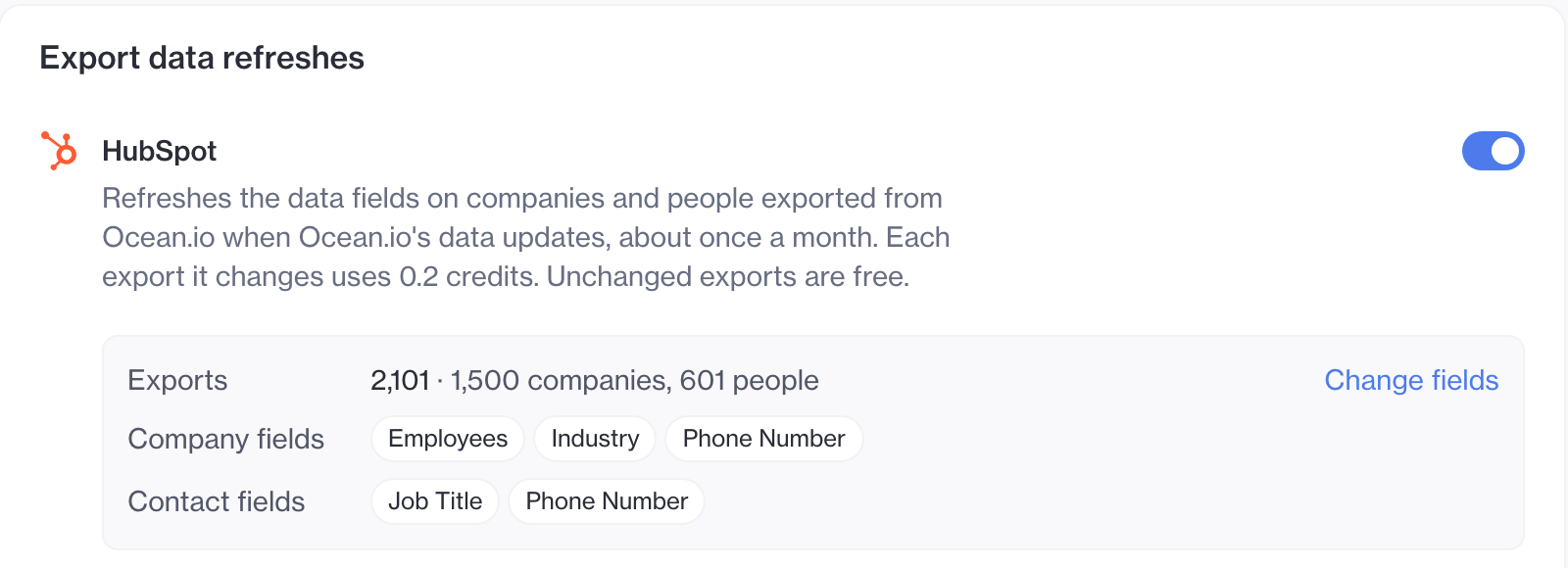
The switch stays off until at least one data field is on Keep in sync. When you turn it on, Ocean.io first shows a preview:
- It checks your exports and shows Exports checked, Would change and Credits.
- It lists how many companies and people would change for each field. Click Show to open those records in Search.
- Nothing is written to your CRM and nothing is charged while it checks.
Click Accept to turn refreshes on and start the first one. After that Ocean.io refreshes your exports about once a month. It checks companies first and then people.
See what happened
The Refreshes table lists every refresh with its date and credits. The Companies and People columns show one result for each refresh, such as 87 updated, No changes or 4 / 100 failed. Click a result to open the updated or failed records in Search. If some failed, choose Retry to try them again.
When a refresh stops
A refresh stops and tells you why. Fix the cause and click Continue refresh.
- Out of credits: continue when your credits renew or upgrade your plan.
- CRM access lost: click Reconnect for your CRM and then continue.
- No data field is on Keep in sync or CRM writes are off for your organization.
- Export data refreshes were turned off.
- Your CRM was disconnected.
Good to know
- When you export a record, a Keep in sync field is written like Always overwrite. The export replaces the value in your CRM if it is different.
- If nobody in your organization logs in, uses credits or runs a workflow for 30 days, Ocean.io pauses these refreshes. They start again when someone comes back.
- If the Bi-directional CRM Integration is removed from your organization, every Keep in sync field goes back to its default rule. The default is Write if empty for data fields and Always overwrite for Ocean columns.
To learn how the other write rules work, read the setup article for your CRM: HubSpot, Salesforce, Pipedrive or Attio.